Database Model
The 1C:Enterprise database model has several features that make it different from classic database management systems, such as those based on relational tables, which developers often use in general-purpose environments.
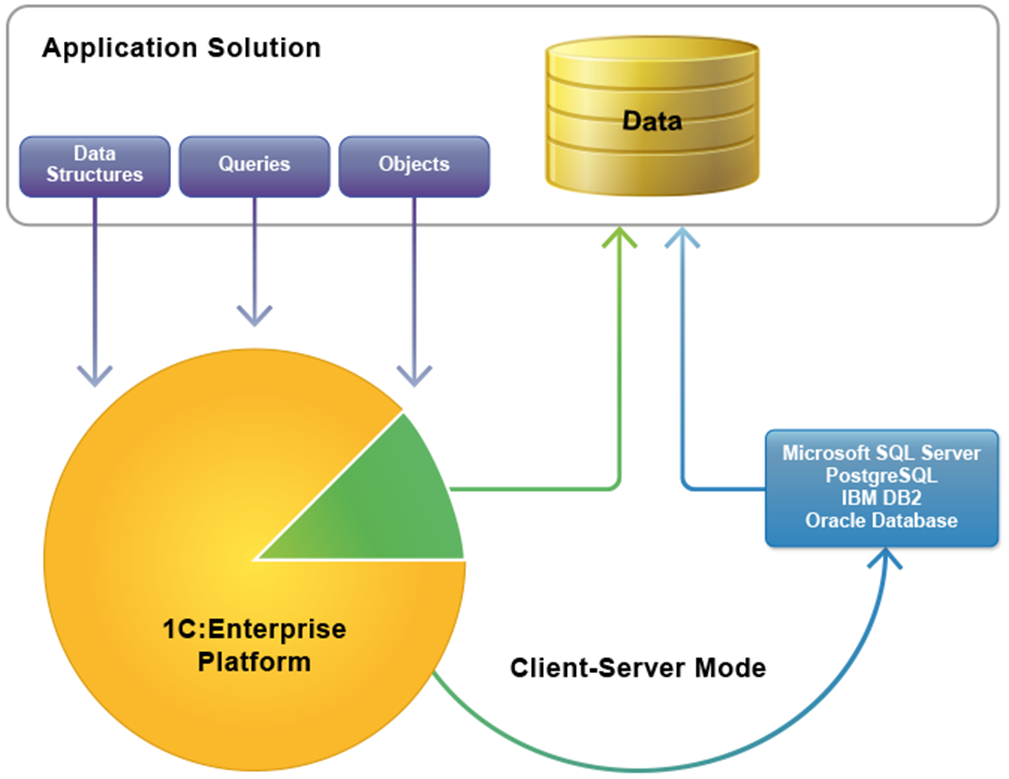
The main difference is that a 1C:Enterprise developer does not access the database directly. Instead, the developer uses the 1C:Enterprise platform to:
- Define data structures in the Designer,
- Manipulate data using 1C:Enterprise language objects,
- Create queries to data using the Query Language.
The 1C:Enterprise platform manages query execution, data structure definition, and data manipulation. It converts developer actions into the appropriate commands. These commands may be sent to a database management system (in client-server environments) or to the platform’s database engine (in file mode).
Unified Type System
A key aspect of using the database in 1C:Enterprise is the unified type system for both the language and database fields. This means that fields and 1C:Enterprise language variables are defined and used in the same way.
This feature makes 1C:Enterprise especially convenient compared to general-purpose tools. Typically, when developing business applications in other environments, developers use external database management systems. This means that they need to constantly convert between data types supported by the DBMS and those supported by the programming language.
Storing Object References
When accessing data stored in a 1C:Enterprise infobase, developers often apply an object-oriented approach. Reading and writing a group of data in the infobase is handled as a single entity. For example, using object methods, you can manipulate data in catalogs, documents, charts of characteristic types, charts of accounts, and more.
A key feature of object data handling is that each object (which is a set of data) has a unique reference that enables identification in the infobase.
This reference is stored together with other object attributes. It can also be assigned as a value of an attribute in another object. For example, a reference to the Counterparties catalog object may be assigned to the Incoming Invoice document attribute.
Composite Types
A major advantage of the 1C:Enterprise data model is that a database field may be configured to accept several data types. At any time, only one value is stored, but it can be any of the defined types. These may be reference types or primitives such as Number, String, Date, and so on.
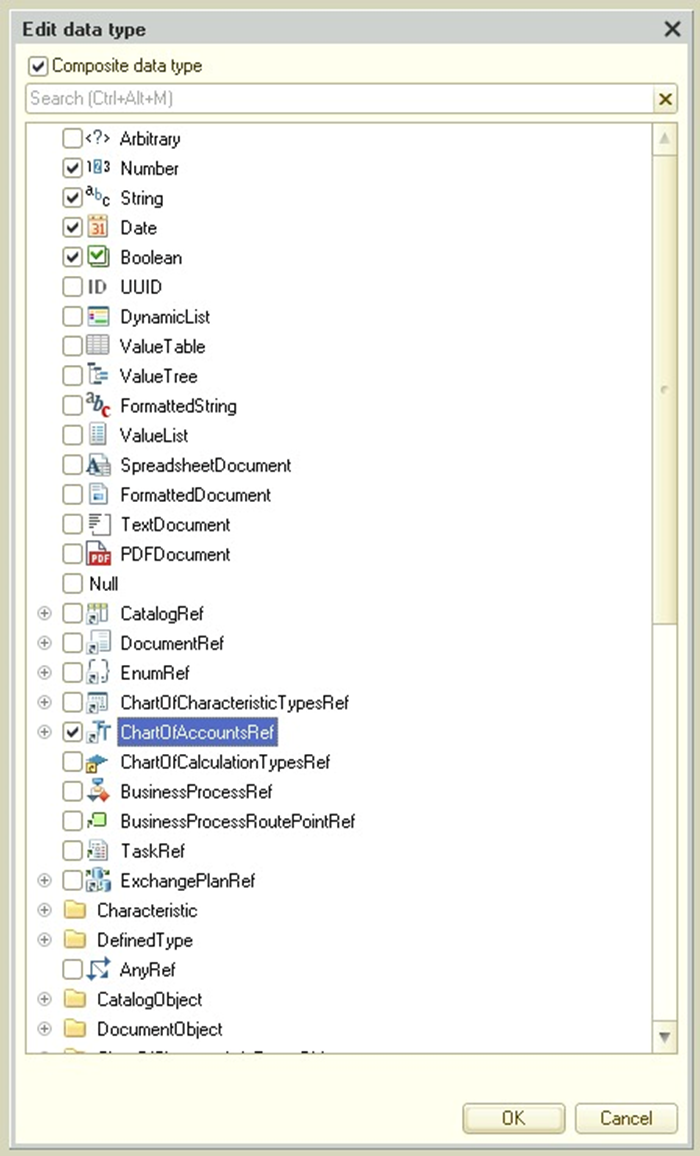
This is particularly useful for application solutions. For example, in a Sales Invoice, the customer can be either a legal entity from the organizations catalog or an individual from the persons catalog. The developer can configure an attribute so that it stores a value of either type.
Storing Data as Value Storage
In 1C:Enterprise, the standard approach is to save all files and related data for an application solution in the infobase.
For this, a special data type called ValueStorage is provided. Database fields may store values of this type. The 1C:Enterprise language includes a ValueStorage object for converting other types to this format.
As a result, developers can save data in the infobase for which the type cannot otherwise be selected as a field type. For example, image files can be stored this way.
Creating and Updating Data Structures Using Metadata
When building or modifying an application solution, developers do not need to handle direct changes to the database table structure.
With visual design in the Designer, they describe the structure of solution objects, their attributes, tabular sections, forms, and other elements.
The platform itself modifies the database schema automatically, using the metadata of the application solution (such as object composition and characteristics).
For example, if an employee catalog requires a family members list, the developer does not have to manually create an additional table, establish links, write joint access algorithms, or set up access rights for subordinate tables.
All that is required is to add a tabular section to the catalog and specify two string attributes (Name and Relationship). When the configuration is saved or updated, the platform will reorganize the infobase and create the necessary tables automatically.
Object and Tabular Data Access
1C:Enterprise supports two approaches to data access: object-based (for reading and writing) and tabular (for reading only).
In the object model, developers use 1C:Enterprise language objects. When an object such as a document is accessed, it is fully loaded into memory, including embedded tabular sections. These can then be accessed as record collections.
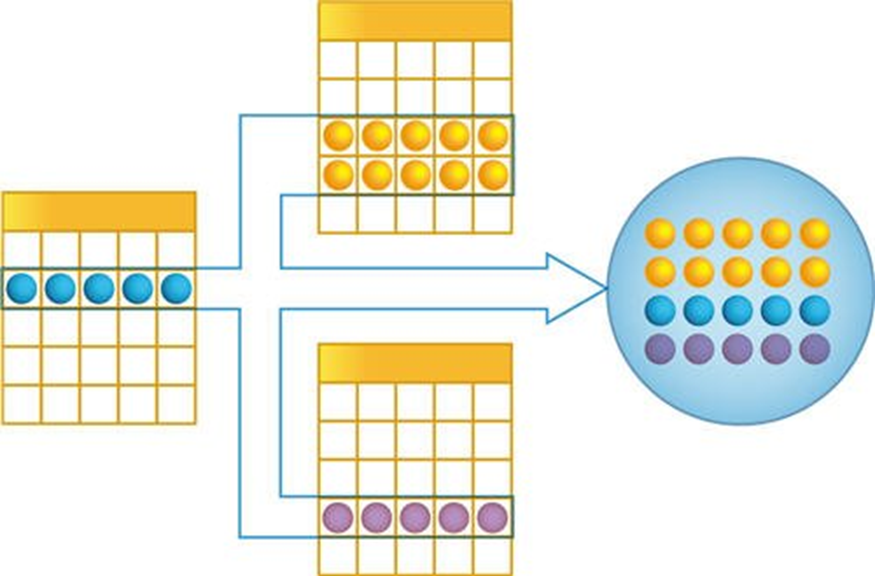
This model ensures object integrity. It also supports caching and triggers event handlers when necessary.
In the tabular model, all objects of one class correspond to related tables. These tables are accessed using Query Language queries, either as a single table or as several linked tables.
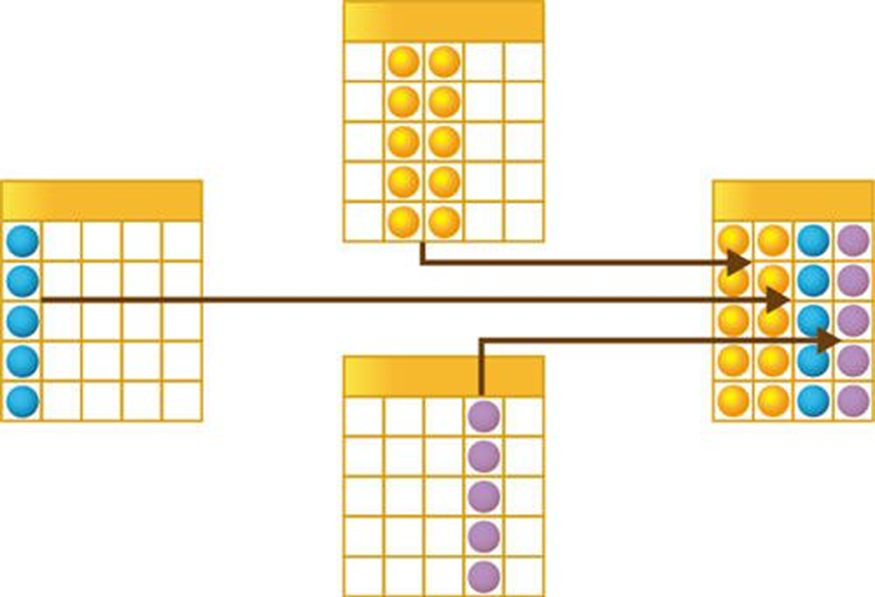
With this method, a developer can access data from several objects at once, which helps with reporting and analyzing large amounts of data. Tabular queries only provide selected attributes, so this method does not allow modifications to those data.
