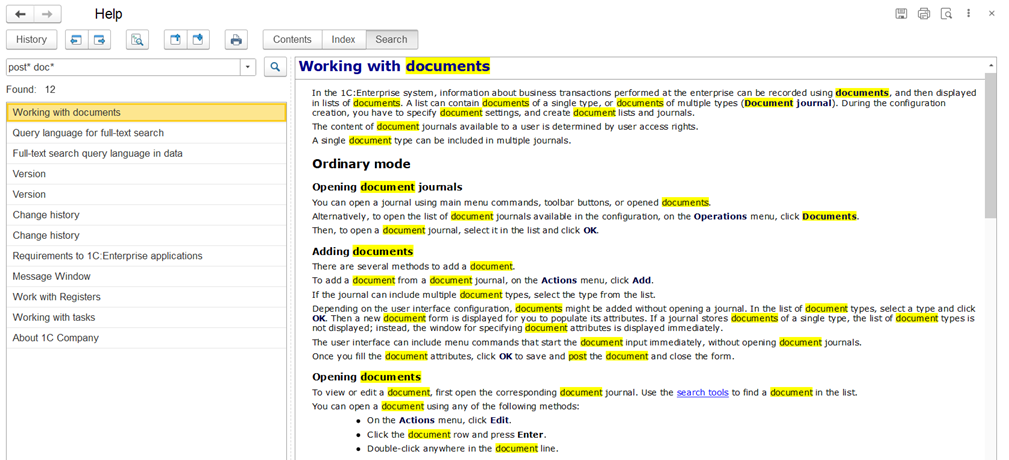
The full-text search feature lets you quickly find the information you need in your infobase as well as in the help system.
Main Capabilities of Full-Text Search
- Supported in both client-server and standalone server environments.
- Instead of morphological dictionaries, expert algorithms for extracting word stems (stemming) are used.
- All tokens, including compound words, are indexed both completely and in parts, regardless of how compound word splitting is set.
- All text is indexed in its original form, without changing it to standard word forms. This means you can search for words either by stem (prefix search) or by their exact forms.
- During indexing, noise words are filtered out. These are certain prepositions, participles, and interjections that do not carry independent meaning.
Full-Text Search in the Database
With 1C:Enterprise, you can search database data using search operators (AND, OR, NOT, NEAR, and others).
This feature includes two main components:
- The full-text index, created for the current database and updated as needed
- The tools for performing full-text searches
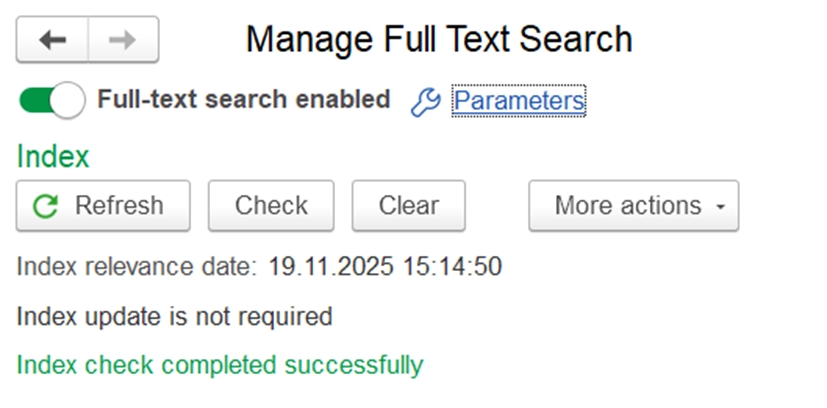
You can create or refresh the full-text index through the 1C:Enterprise interface or programmatically, using the built-in language. Below is the dialog window for managing full-text indexing in 1C:Enterprise mode:
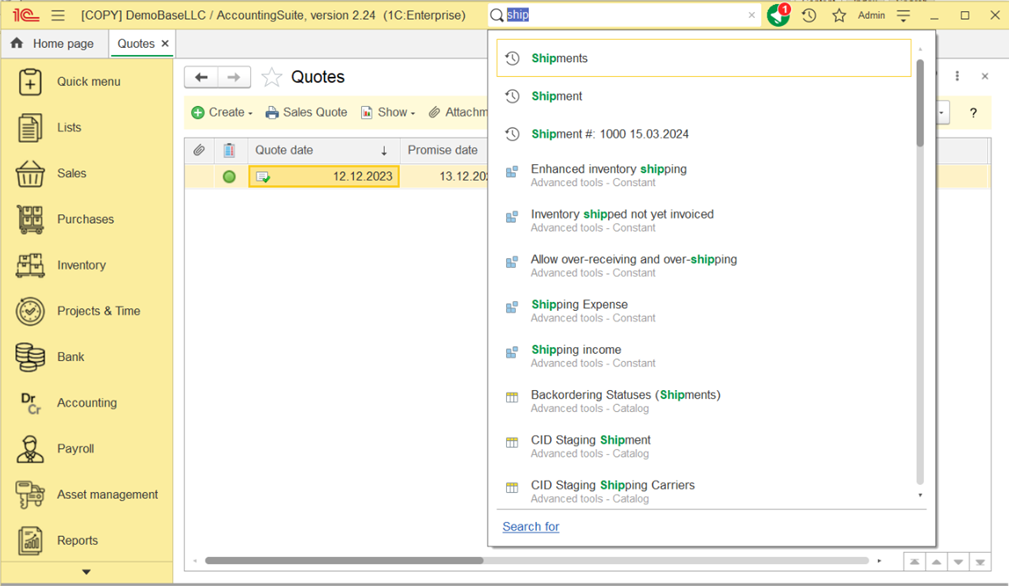
To search for data in the database, you can use the global search field, among other options.
1C:Enterprise lets you choose which applied objects and their attributes are included in full-text search. It’s also possible to limit the search area so it covers data from only selected configuration objects.
Full-Text Search in the Help System
The help system in 1C:Enterprise also features full-text search, letting you use operators like AND, OR, NOT, NEAR, and so on. The words found are highlighted.