File Mode
File mode is one of the operating modes of 1C:Enterprise. The file mode is intended for individual use by a single user or for a small number of users on a local network.
In this mode, all data of the infobase (the configuration, the database, and administrative information) are stored in a single file, the file database. Operations on this database are performed by the file DBMS developed by 1C and included in the platform.
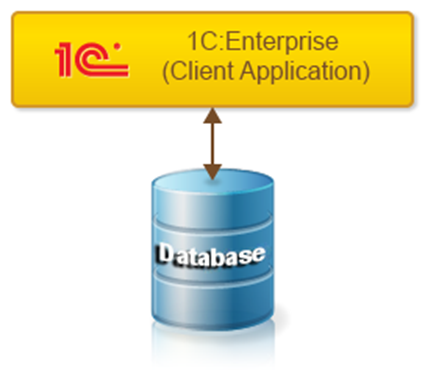
This mode provides easy installation and operation. No additional software is required to use the infobase. The operating system and 1C:Enterprise are sufficient.
The file mode preserves infobase integrity and makes backups simple. It eliminates situations where a user could accidentally, for example when copying an infobase, mix up different infobase files and thereby render the system inoperable.
Backups can be performed at the file level by simply copying the infobase file.
When using file mode, thanks to the use of transactions, the 1C:Enterprise platform minimizes the risk of data integrity violations due to failures of computers or the local network. However, using the client server mode provides higher reliability, since on the server the writing of data is completely independent of failures of client computers and the local network.
Testing and Repair Utility for the File Database
The platform installation package includes a utility designed to test and repair the file database after failures. Learn more…
Technical Architecture of File Mode
File mode can be used either directly with the database file or through a web server if client connections use HTTP or HTTPS.
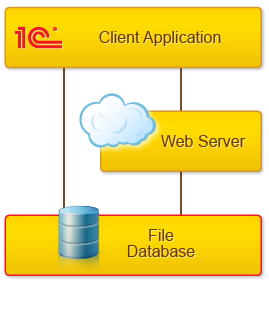
Using the File Database Directly
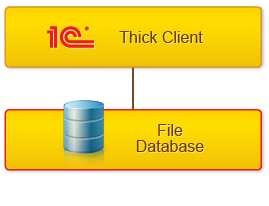
Direct use of the file database is possible using the thin client or the thick client.
If the thick client is used, it implements the full functionality of the file DBMS itself.
If the thin client is used, a specialized server environment is created on the computer where the thin client runs.
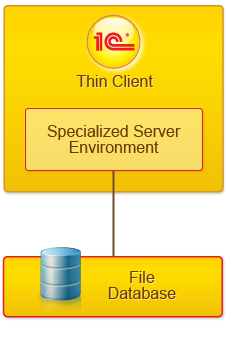
Within this specialized environment the following are performed:
● Loading of server components required for system operation
● Loading of the configuration
● Other actions needed to support normal operation of the infobase
From the thin client perspective, this environment acts as a server. From the operating system perspective, this specialized environment is not a separate process and runs within the thin client process.
Using the File Database Through a Web Server
Using the file database through a web server is possible using the thin client or the web client.
In this case, the web server extension module creates a similar server environment on the web server for each infobase.
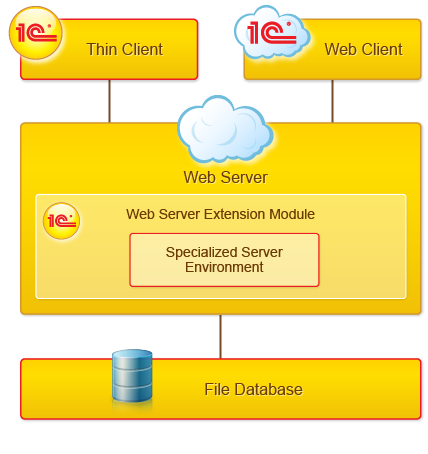
The component for accessing the file database and the infobase data themselves are loaded directly into the web server address space. As a result, the load on the web server increases significantly, and users of the same infobase cannot operate concurrently. All access to the database is serialized and processed one at a time.
For this reason, this option is recommended primarily for testing. For example, to try how an infobase operates via a web server with the web client. As a production option, consider it only in special cases and only for very small workgroups.
