Security Profiles are used to prevent the application from performing actions that may be potentially dangerous for the operation of the server cluster.
A cluster administrator can assign any infobase one of the security profiles available in the cluster. In that case, the application’s potentially dangerous functionality is limited within the bounds described in the selected profile.
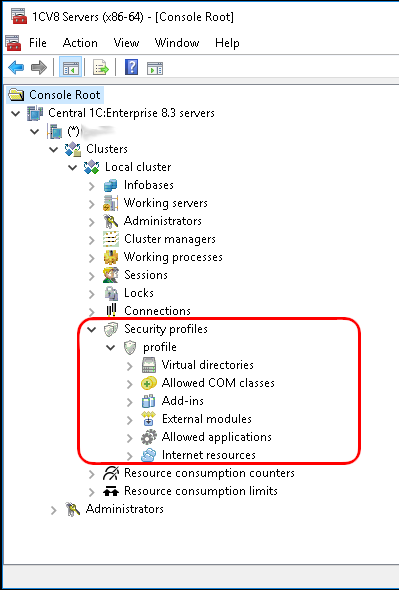
By default (immediately after creation), a security profile forbids all potentially dangerous actions. These include:
● Accessing the server file system.
● Launching COM objects.
● Using external 1C:Enterprise components.
● Running external data processors and reports.
● Starting applications installed on the server.
● Accessing Internet resources.
Therefore, protecting against unwanted actions by an unfamiliar application is straightforward: create an empty security profile and assign it to the infobase. After that, if necessary, you can broaden this profile by listing the actions that the application is allowed to perform.
